DJ TechTools — DJ and Music Tech — Mon, 01 Jun 2026 22:42:37 +0000
Summary
DJ TechTools released Midi Fighter Utility 2.91 alongside new firmware for all four Midi Fighter devices—the Twister, 64, Spectra, and 3D—marking the largest simultaneous update in the product line's history. The utility app is now signed and notarized for macOS, fixes third-party device detection issues, and adds multi-device support with nicknames, readable MIDI logging, experimental undo/redo, bidirectional bank sync, and interface updates including light/dark themes. The Twister's 20260601 firmware introduces an optional 8-bank build, an expanded color palette including white, a new Spread indicator mode, per-encoder Shift channel configuration, bank navigation via side buttons, and sleep animations. The 64 gains a rotation option, increased LED brightness, and two new sleep animations, while the Spectra and 3D receive new sleep animations and unique serial numbers, which all four devices now report. The update is available for macOS and Windows, requires a direct USB connection without a hub, and devices running 2026 firmware require MFU 2.91 or higher.
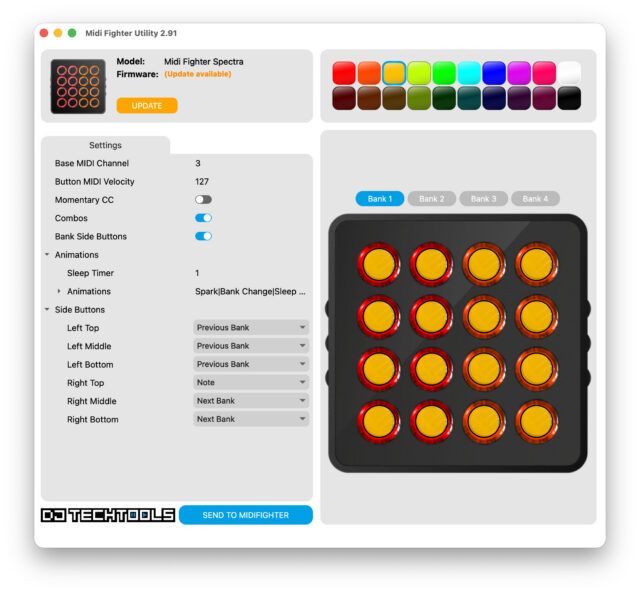
Midi Fighter Utility 2.91 dropped this morning, and it is a big release, no simple bug patches here. New firmware for the Twister, 64, Spectra, and 3D shipped alongside it, which makes this probably the biggest simultaneous update across the whole Midi Fighter lineup we’ve ever done.
The short version: if you own any Midi Fighter, you should update today and share some feedback with our team!
The Midi Fighter Utility itself got a serious overhaul. A few things worth calling out:
One note for Windows users: you may see a warning on install because the app is signed with a new certificate. Click “More info” on the installer dialog and you’ll see it’s properly signed. That warning will fade as our certificate builds reputation.
The new Spread indicator visual mode
Today’s new Twister firmware (20260601) has the longest change log. The full list is on the DJTT forums, but a few highlights:
The MFU now also shows when an encoder has a detent enabled, including the color it’s assigned. Before this, you had to select the encoder and check the setting manually. There was no visual indicator on the grid itself. The roadmap is to reflect indicator type visually too, but that’s coming in a later update. And the MFU no longer moves a detented encoder to 0 on load, which was a longstanding annoyance for anyone using them for anything where 0 wasn’t the right default.
Most of the update for these units are a bit smaller, but all three get new firmware. The 64 picks up a rotation option so the connector can face toward you (handy for filming your hands), increased LED brightness, and two new sleep animations. Spectra and 3D both get a unique serial number, a new sleep animation, and code prep for future updates.
All four devices now report a unique serial number, which is groundwork for things coming later this year.
First, download the new Utility. Download for macOS and Windows is live now.
Plug your Midi Fighter directly into your computer via USB. Do not use a USB hub. Open the utility and follow the onscreen prompts. If your unit is running 2026 firmware, you’ll need MFU 2.91 or higher to access the new features.
Full changelog and discussion over on the forum thread.
A big congratulations and thanks to the hard work of DJTT’s Matías (padi_04, the self-declared Administrator del Ritmo on our forums) for pushing hard on this update over the last few months. Even as he’s added a new member to his family, he’s found the time to absolutely crush this new update and release it. Show him some love!
Also thanks to our many beta testers, and the folks who contributed to this release, including but not limited to: Stewe, Brotatochip1121, SteveC, DBLU2000, and Imaginus.
Original article: https://djtechtools.com/2026/06/01/midi-fighter-utility-2-91-is-out-our-biggest-update-in-years/ Source: DJ TechTools