Android Police — Android — Sat, 29 Aug 2026 12:15:10 GMT
Summary
The article describes how the author installed Lawnchair, a custom Android launcher that calls itself a "supercharged version of the Pixel Launcher," on their Samsung Galaxy phone to replicate the Pixel home screen experience. Unlike the actual Pixel Launcher, Lawnchair allows users to remove the At a Glance widget and Google Search bar, supports third-party icon packs, and offers customizable gestures such as double tap, swipe up, and swipe down. The author notes that their partner, a Pixel owner, also prefers Lawnchair on her device, and recommends it especially for users transitioning from Samsung's One UI to a Pixel. The author concludes that the setup delivers the best of both worlds, retaining Samsung features like the Edge panel while providing a clean, Pixel-style home screen.
Although my Samsung Galaxy phone is still in good shape, I won't keep it with me for long because it's more than four years old.
I haven't finalized my Galaxy phone replacement, but I'm almost certain it won't be a Google Pixel phone.
I'm slightly disappointed because, this time around, I was looking to buy one to end the streak of not using a Pixel as my primary phone.
I hope my Pixel drought ends soon, but in the meantime, I found a way to get a taste of the Pixel phone experience on my phone.
I didn't do anything fancy to achieve that. I only installed a custom launcher app on my handset to replace One UI Home, the default launcher on all Galaxy handsets.
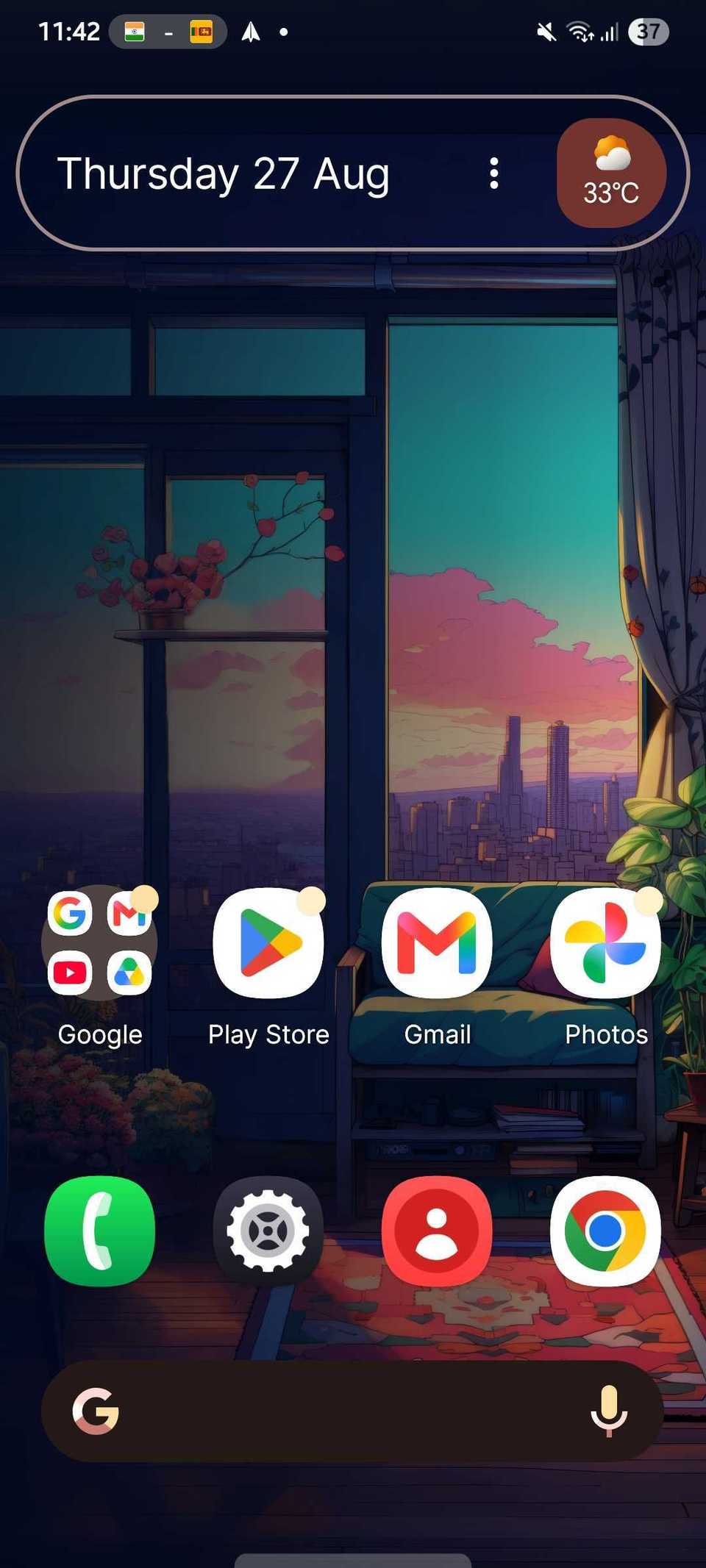
I made my Galaxy home screen feel like a Pixel using an app called Lawnchair, which calls itself a "supercharged version of the Pixel Launcher."
After using it for weeks, I don't want to go back to One UI Home. Here's why.
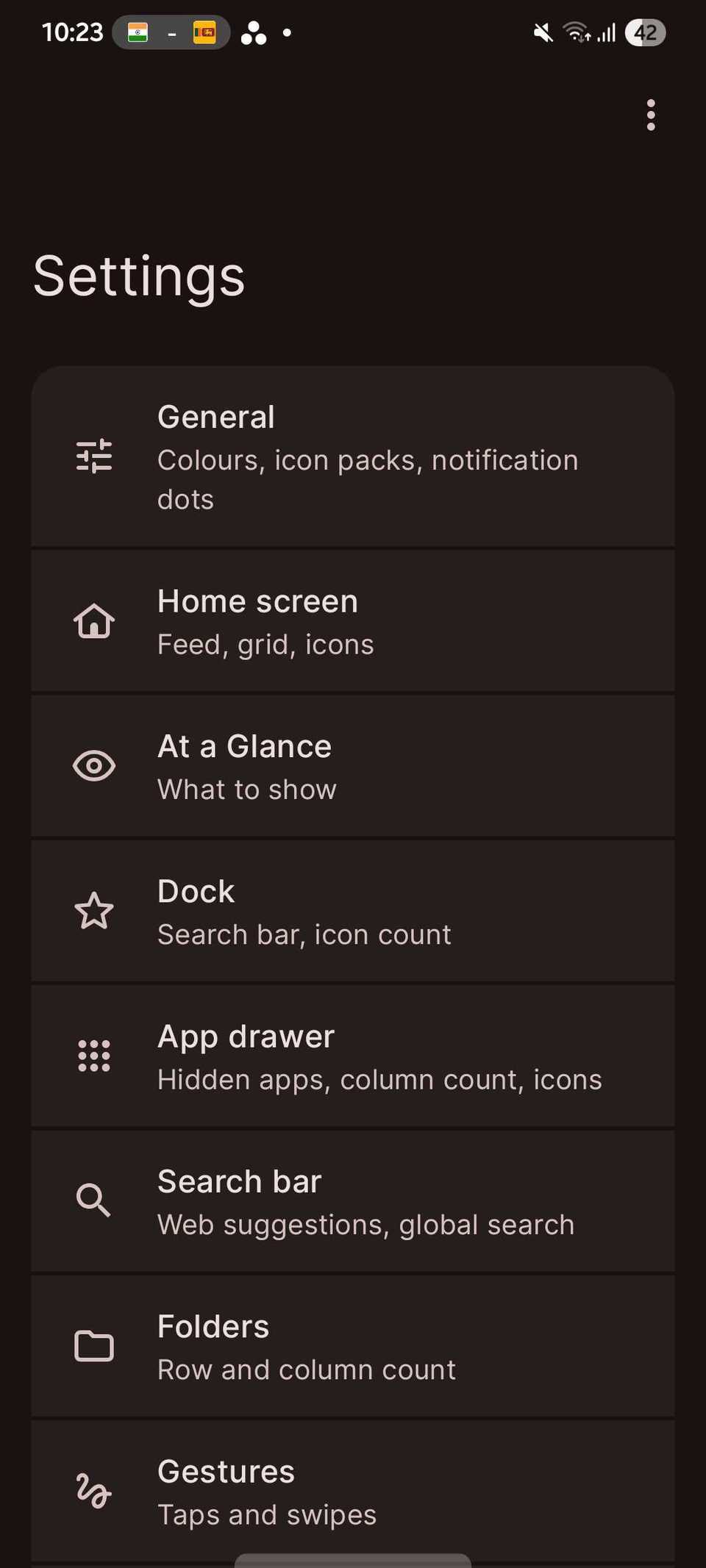
I won't mind a launcher app offering plenty of customization features. More is always better, as long as it doesn't get to the point where it feels complicated.
I'm not a developer, but I feel it's hard to strike a balance between simplicity and customization in launcher apps. I make this assumption because I've seen plenty of Android launchers fail to do it.
Lawnchair isn't one of those. It's one of the few launcher apps that stays simple without compromising on customizability. Lawnchair is as simple as the Pixel Launcher but is more customizable than Pixel's default launcher.
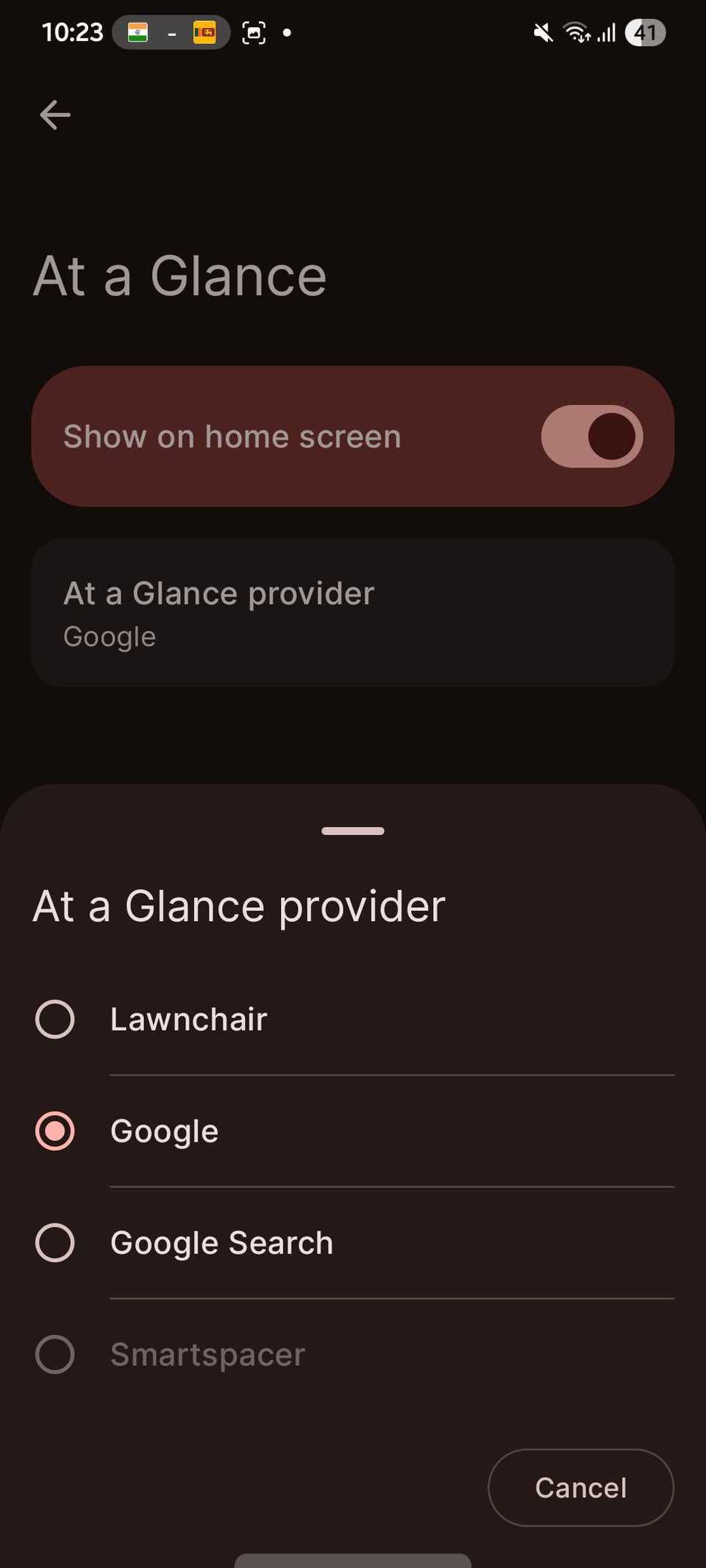
Like the Pixel Launcher, I have the Google Search bar at the bottom of my Lawnchair home screen. In its default setup, it also shows the At a Glance widget on the home screen.
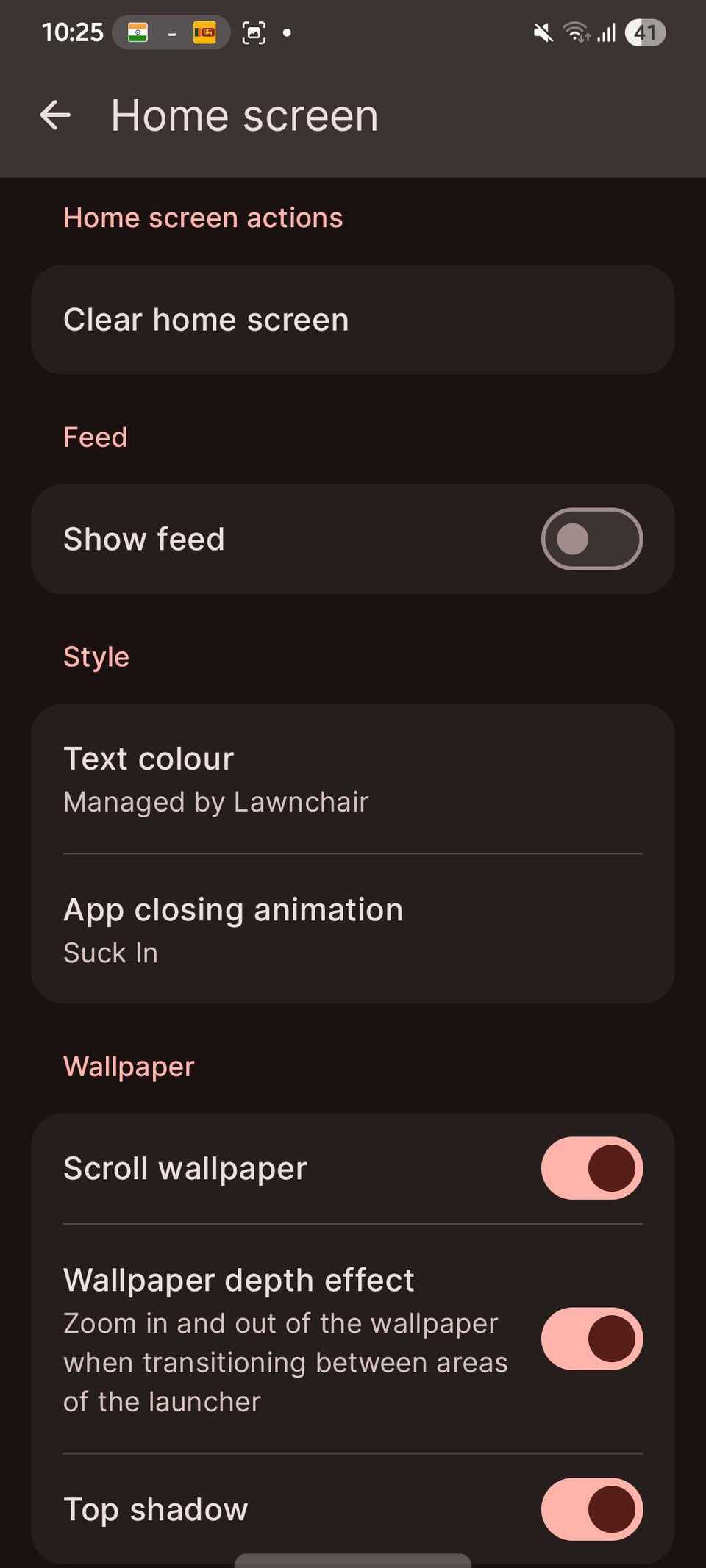
However, unlike the Pixel Launcher, I can remove the At a Glance widget from the home screen. You can also remove the search bar at the bottom. That's liberating.
I also have genuine support for third-party icon packs in Lawnchair, unlike the Pixel Launcher, which recently gained AI-generated custom icon support.
AI-generated custom icons are cool, but it feels like a consolation prize for people like me who have been waiting years for this feature.
On the other hand, the Lawnchair launcher app makes it simple to apply a third-party icon pack from the Home screen settings.
I also love its Double tap gesture, which you can use for a range of things, from putting the phone to sleep to opening an app. However, you can assign only one action to the gesture.
You can also assign one each to the Swipe up and Swipe down gestures. All of this makes the launcher feel like a supercharged version of the Pixel Launcher.
My partner has a Google Pixel, so even though I have never owned a Pixel, I know some of its biggest strengths and weaknesses.
Lawnchair removes many of those limitations while not compromising Pixel Launcher's strengths.
My partner, who is a huge Pixel fan, feels the same about the Lawnchair launcher after installing it on her Pixel phone.
I haven't tried it on a Pixel phone yet, but I'm glad it gives me a taste of the Pixel Launcher without needing to buy a Pixel.
The revamp is limited only to the home screen and app drawer, as with every Android launcher app. But this is still the easiest way to "Pixelize" my Galaxy handset, or any other Android phone.
If I change my mind later and decide to buy a Pixel to replace my Galaxy, installing the Lawnchair launcher would be one of the first things to do after setting up the phone.
I highly recommend it, especially for those who are moving from a Galaxy, which has a highly customizable One UI Home, to the Google Pixel.
As someone who has been using One UI for so long, a restricted home screen like Pixel Launcher feels like a downgrade.
No matter how good the hardware is, software limitations can ruin the Android experience.
A bad home screen is a shining example of that. I don't consider the Pixel Launcher bad, but I don't like simplicity being its only USP.
It's not enough for me, especially when I can get a Pixel-like experience with more customization elsewhere.
My Galaxy home screen still has the Edge panel, while Lawnchair gives me the clean, simple home screen Pixel phones have. I get the best of both Galaxy and Pixel without choosing between them.
Original article: https://www.androidpolice.com/i-made-my-samsung-home-screen-feel-like-a-pixel-i-dont-want-to-go-back/ Source: Android Police